Blog

Troubleshooting if the uinit light is red or can't be communicated with

Troubleshooting if the uinit light is red or can't be communicated with

Otacell 20/01/2026 0
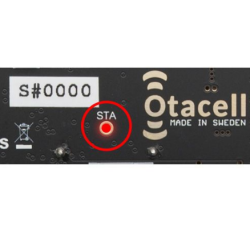
Below you will find troubleshooting information for situations where your device does not connect, shows a red indicator, or cannot be communicated with. This information applies to all products except OTAC-AG, where the SIM card is provided by us and therefore must not be replaced or removed. If you are using an older device (article number starting with GSMS-), we recommend that you first review the information about the 2G network and how it affects our older products. Read more about this here If you are unsure about any step in the process, always refer to the user manual for your specifi...
Read More
Documentation and Manuals for Otacell / GSM-START Products

Documentation and Manuals for Otacell / GSM-START Products

Otacell 10/01/2026 0
At Otacell.se you will find reliable and user-friendly solutions for remote control and monitoring over the mobile network, developed and manufactured in Sweden for maximum operational reliability and durability. Whether you control the heating in your holiday home, the parking heater in your car, or electrical equipment remotely with our 4G-controlled relays, proper documentation and manuals are the key to easy installation and trouble-free use. Current OTACELL 4G devices: OTAC-SW22T USER MANUALOTAC-SW22T QUICK START GUIDEOTAC-PH5 USER MANUALOTAC-PH5 QUICK START GUIDEOTAC-AG-H02A USER MANUAL ...
Read More
Information on replacing your old 2G device with the current 4G variant

Information on replacing your old 2G device with the current 4G variant

Otacell 01/01/2026 0
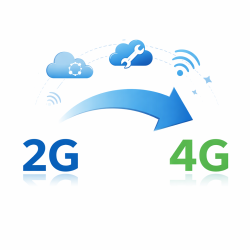
Below is information if you want to replace your old 2G unit with the current 4G unit. We do not sell upgrade kits or similar; instead, you need to purchase a new unit and replace the old one. Start by reading this information about the 2G network and our units. The first step is to find out whether you have an older 2G/GSM model or a newer 4G model. This can be seen from the article number. Article numbers starting with GSMS- use the 2G/GSM network and need to be replaced sooner or later. For example GSMS-SW22, GSMS-SW22T, GSMS-PH3, GSMS-PH4, or GSMS-PH5. Article numbers starting with OTAC- (...
Read More
How to prevent corrosion in cable connections

How to prevent corrosion in cable connections

Otacell 29/10/2025 0
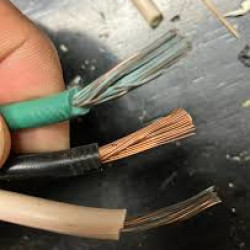
When electrical conductors are connected in terminal blocks or screw clamps, the choice of materials is critical for long service life and safety. The wrong combination can lead to corrosion, increased contact resistance, and in the worst case overheating. Here is what you need to know. Materials in our terminal blocks The terminal block we use in OTAC-SW22T is built with:Screws: Steel, zinc-platedSpring: Phosphor bronze, nickel-platedConductor clamp: Brass, nickel-platedPlastic: PBT, flame-retardant UL94V-0Nickel-plated brass is a stable combination with copper conductors. The zinc-plated scr...
Read More
Will my OTACELL/GSM-START device be affected when the 2G/3G network shuts down?

Will my OTACELL/GSM-START device be affected when the 2G/3G network shuts down?

Otacell 01/10/2025 0
Our older remote control units use the 2G network, often referred to as the GSM network. Our current model uses the 4G network, which is designed to operate in parallel with 5G for many years. This means that units with 4G support are well prepared for the future. Across the EU, mobile operators are gradually shutting down 2G and 3G networks. The exact timetable and affected technologies vary between countries and between operators. Some operators may shut down 3G first and keep 2G running for a period of time, while others may phase out both networks within a shorter timeframe. Because of thi...
Read More